
QR Codes: How Small Can They Be?
QR Code Sizes
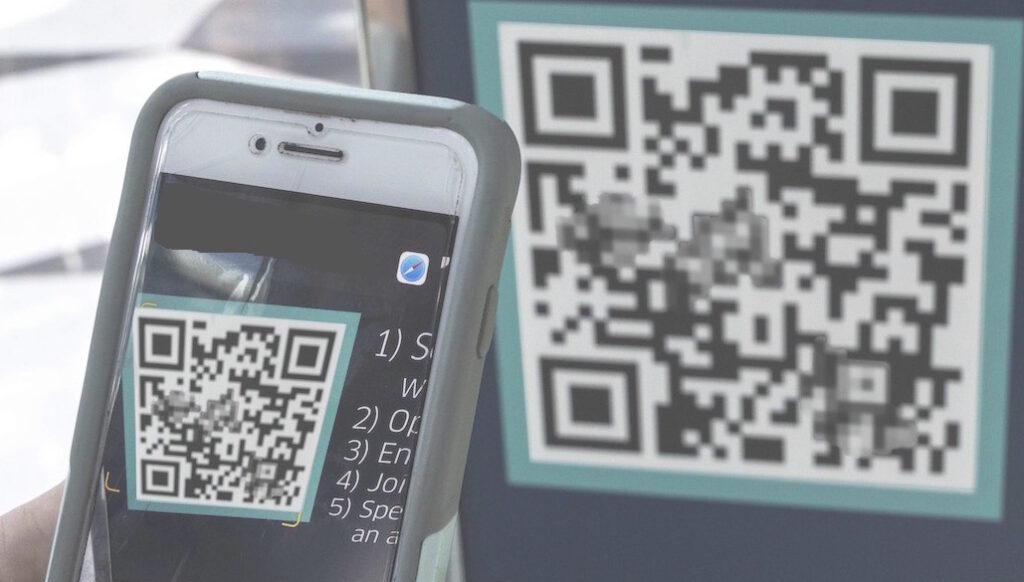
Choosing the right size for your QR code label is critical. Too small, and it won’t scan properly. Too large, and it takes up valuable space on your product or packaging. So, how small can a QR code actually be?
The short answer: it depends on how and where your label is used. At Advanced Labelworx, we engineer each label for optimal performance, ensuring your QR codes scan reliably—whether on a compact medical device or a warehouse pallet tag.


What Are QR Codes?
QR codes (short for Quick Response codes) were first developed in 1994 by the Japanese company Denso Wave. Unlike traditional barcodes, which store data horizontally, QR codes encode data both horizontally and vertically. This structure allows them to hold significantly more information and be scanned from nearly any angle.
Today, QR codes are used everywhere—from product authentication and asset tracking to contactless menus and marketing campaigns. But for your QR code to perform as intended, size and print precision matter.
Minimum Size for QR Codes
The absolute smallest scannable QR code that meets ISO 18004 standards is 1 x 1 cm (0.4 x 0.4 inches). However, not all smartphones can reliably scan a code that small.
To ensure consistent readability across most modern devices, we recommend a minimum print size of 2 x 2 cm (0.8 x 0.8 inches). This balance allows for quick, error-free scans without sacrificing design space.
How Big Should a QR Code Be?
While 2 x 2 cm is the minimum, the right size for your QR code depends on several key factors:
1. Scanning Distance
The farther away users will be when scanning, the larger the QR code must be.
A good rule of thumb: maintain a 10:1 distance-to-size ratio.
For example:
- A QR code scanned from 20 inches away should be roughly 2 inches wide.
- A code scanned from 6 feet away should be about 7 inches wide.
2. Amount of Data
The more data your QR code holds, the more modules (black and white squares) it contains.
More modules = smaller individual dots = larger required print area for reliable scanning.
3. Print Resolution
Low-resolution printing can blur QR code edges and make scanning unreliable.
If you must print small, use high-resolution printing and increase size by about 0.2” for every five added rows or columns of modules.
How to Reduce the Size of Your QR Code
If you need a smaller QR code without losing scannability, try these optimization methods:
- Simplify the data. Shorten URLs using services like Bitly.
- Reduce error correction levels. Lower error correction means fewer redundant modules and a smaller code.
- Remove embedded images. A logo in the center adds visual appeal but increases required size. Removing it helps shrink the overall footprint.
Common Uses for QR Code Labels
QR codes continue to play a vital role across industries. Here are a few practical applications we often see:
- Contactless interactions: Streamline ordering, payments, or menu access.
- Smart business cards: Dynamic QR codes let you update info without reprinting.
- Instruction manuals: Link to digital documentation for complex products.
- Inventory management: Enable easy tracking using smartphones or scanners.
- Marketing & packaging: Engage customers directly with branded experiences.
Custom QR Code Labels from Advanced Labelworx
At Advanced Labelworx, we understand that a QR code label is more than just a printed square—it’s a direct connection to your digital presence.
Our team will help you determine the ideal label size, material, and print method for your application. From small, durable asset tags to high-contrast promotional labels, we’ll ensure your QR code is engineered for consistent performance in real-world conditions.

